

Edit expenses
The Edit expenses function allows you to correct or update the information for an expense that has already been recorded. This is useful if you detect errors, changes in the amount, the date, the category, the payment method, or if the description needs more detail or correction. This way, business information stays up to date and accurate.
How to edit an expense
To edit an existing expense:
Go to Expenses
Find the expense you want to modify
Click on the right side of the expense, on the three dots.
Select Edit expense
The form will open with the current expense data.
Fields you can edit
Category: Expense classification for reports and analysis
Amount: Total expense amount
Date: Day the payment was made
Description: Expense details (example: “Store rent – January”)
Payment method: Cash, bank transfer, card, or another method
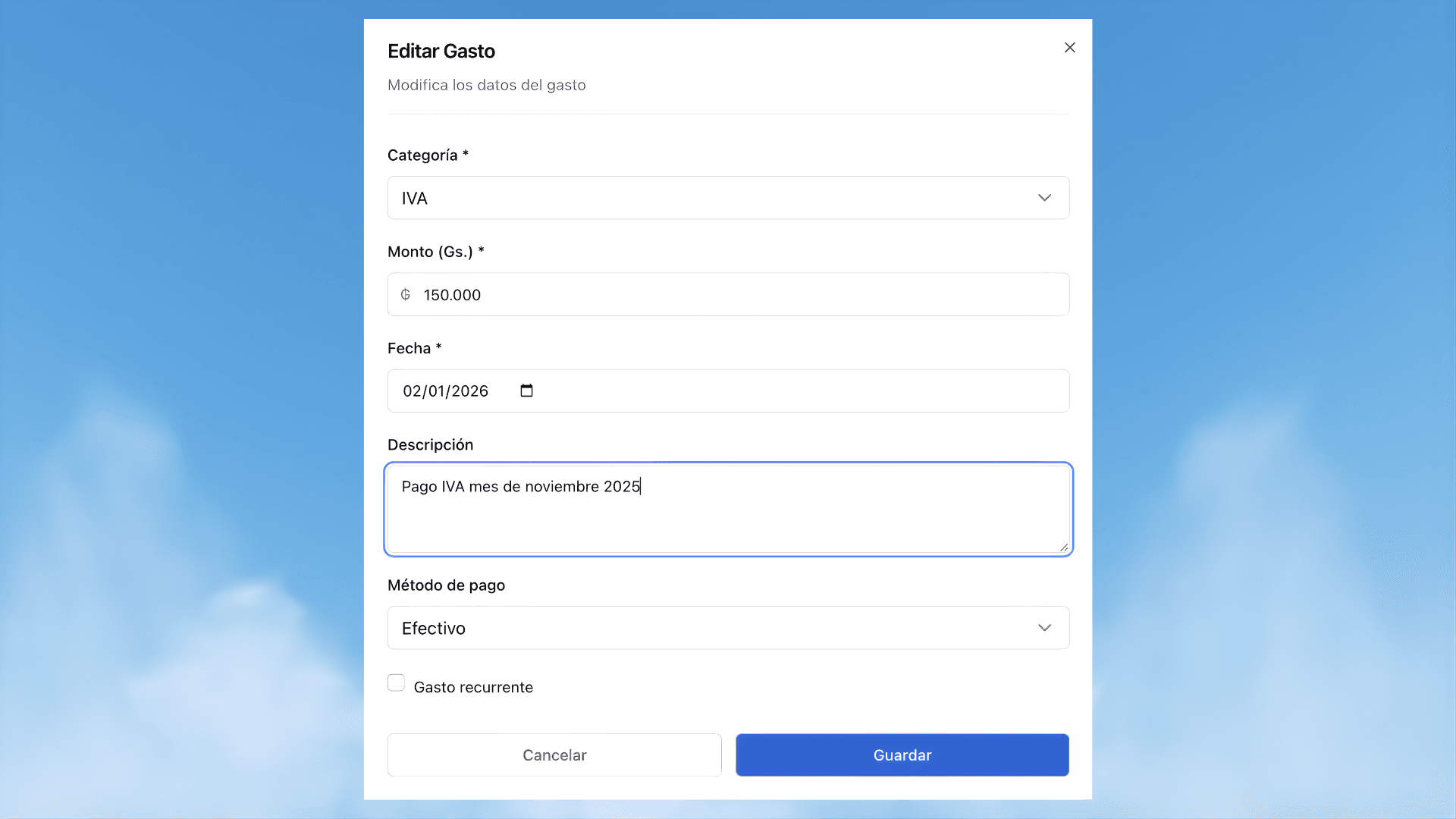
Save the changes
Once the changes are made:
Verify that the data is correct
Click Save
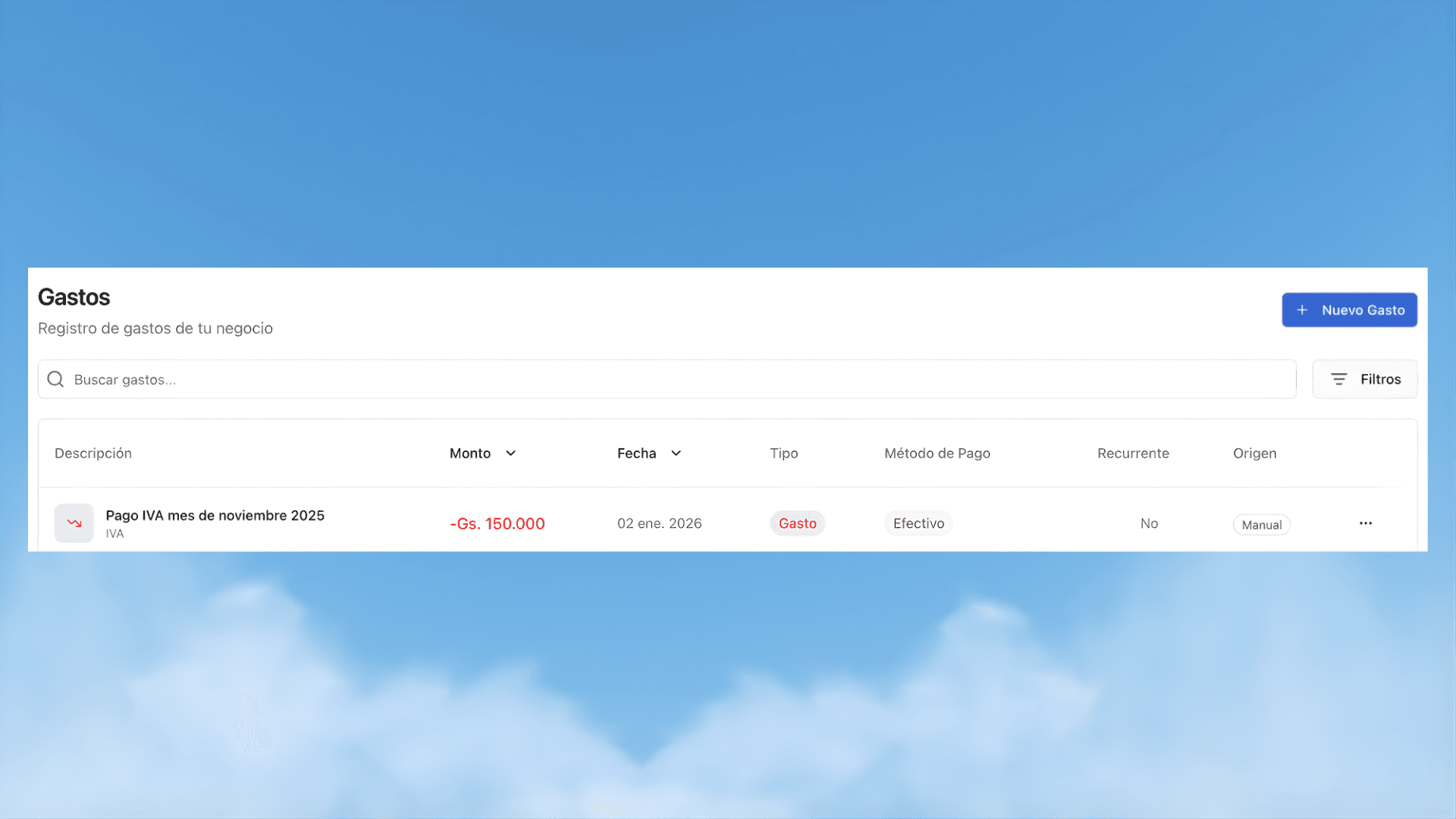
The expense will update automatically and the changes will be reflected in the expense list.
Important considerations
Editing an expense does not create a new record, it only updates the existing one
The changes directly impact the business's overall information
It is recommended to review the data before saving to avoid inconsistencies