

The Record expenses feature allows you to keep a clear, accurate view of your business finances. By correctly recording your expenses, you can:
Understand the real profitability of your business (net income – expenses = real profit)
Control cash flow, knowing exactly where the money goes
Analyze expenses by category to identify opportunities for savings and optimization
Common expense types
When recording an expense, you can classify it according to its nature. Some common categories are:
Operating: Rent, utilities, internet, maintenance
Merchandise: Purchases from suppliers that do not affect inventory
Marketing: Advertising, social media, promotional campaigns
Financial: Bank fees, interest, financial charges
Other: Miscellaneous or unexpected expenses
How to record an expense
To add a new expense in the platform:
Go to Expenses
Click + New expense
Main fields
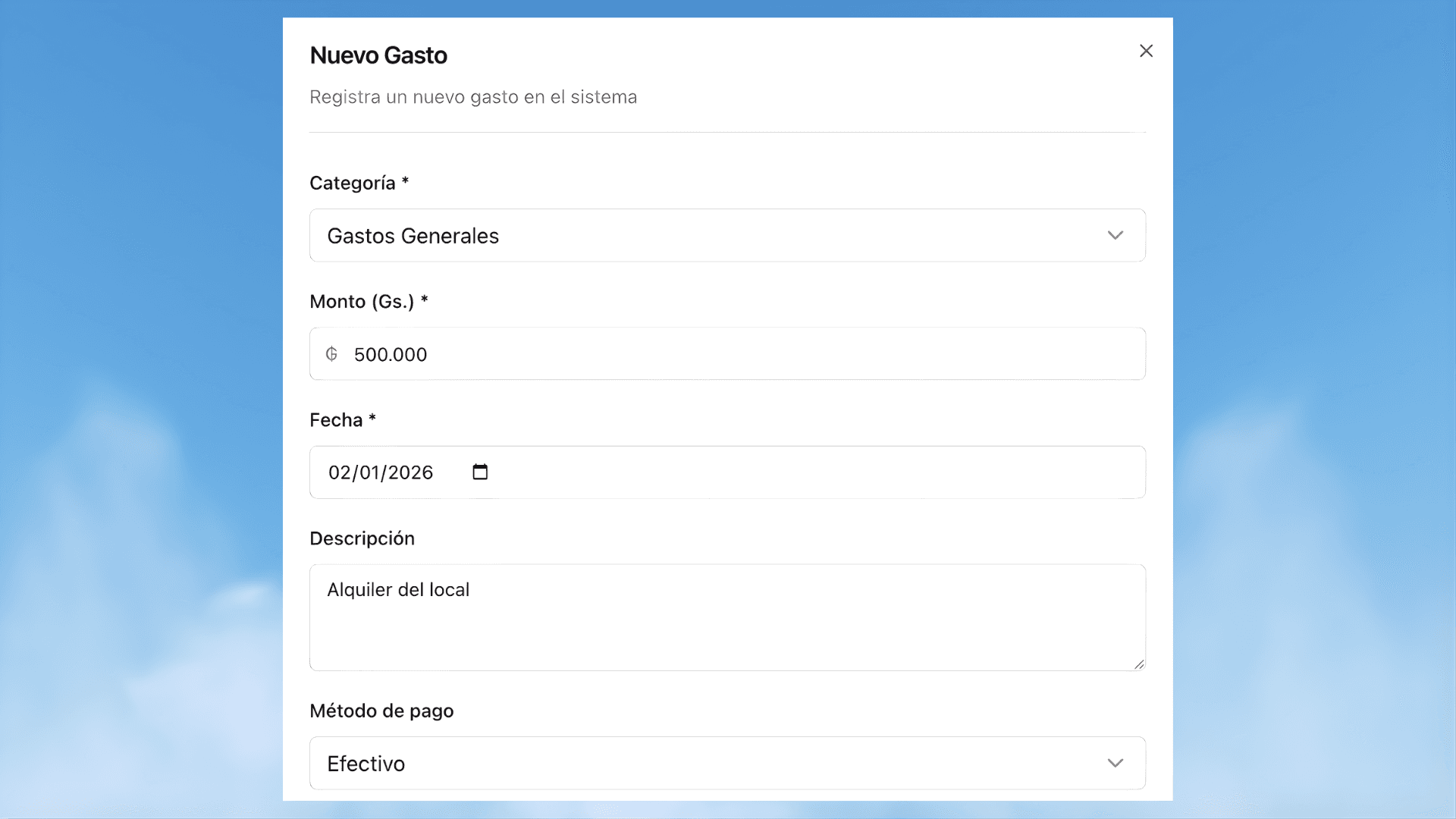
When recording an expense, you must complete the following fields:
Category: Expense classification for reports and analysis
Amount: Total expense amount
Date: Day the payment was made
Description: What you are paying for (example, “Rent for the store" or "Water-December”)
Payment method: Cash, bank transfer, card, or other method
Recurring expenses
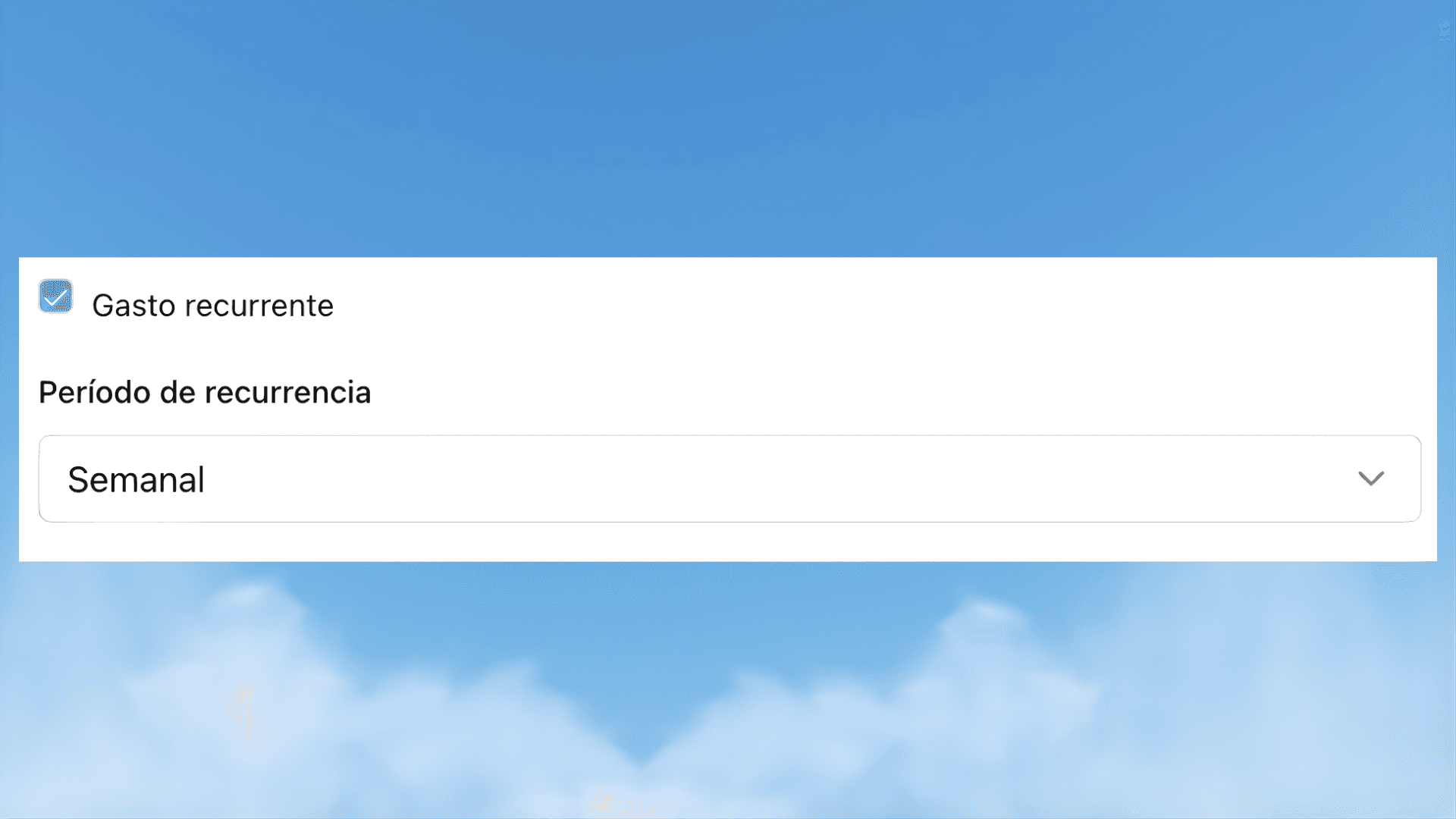
For expenses that repeat periodically (for example, rent or utilities):
When creating the expense, enable the Recurring option
Define the frequency (monthly, weekly, etc.)
The system will automatically generate the upcoming expenses
Save the expense
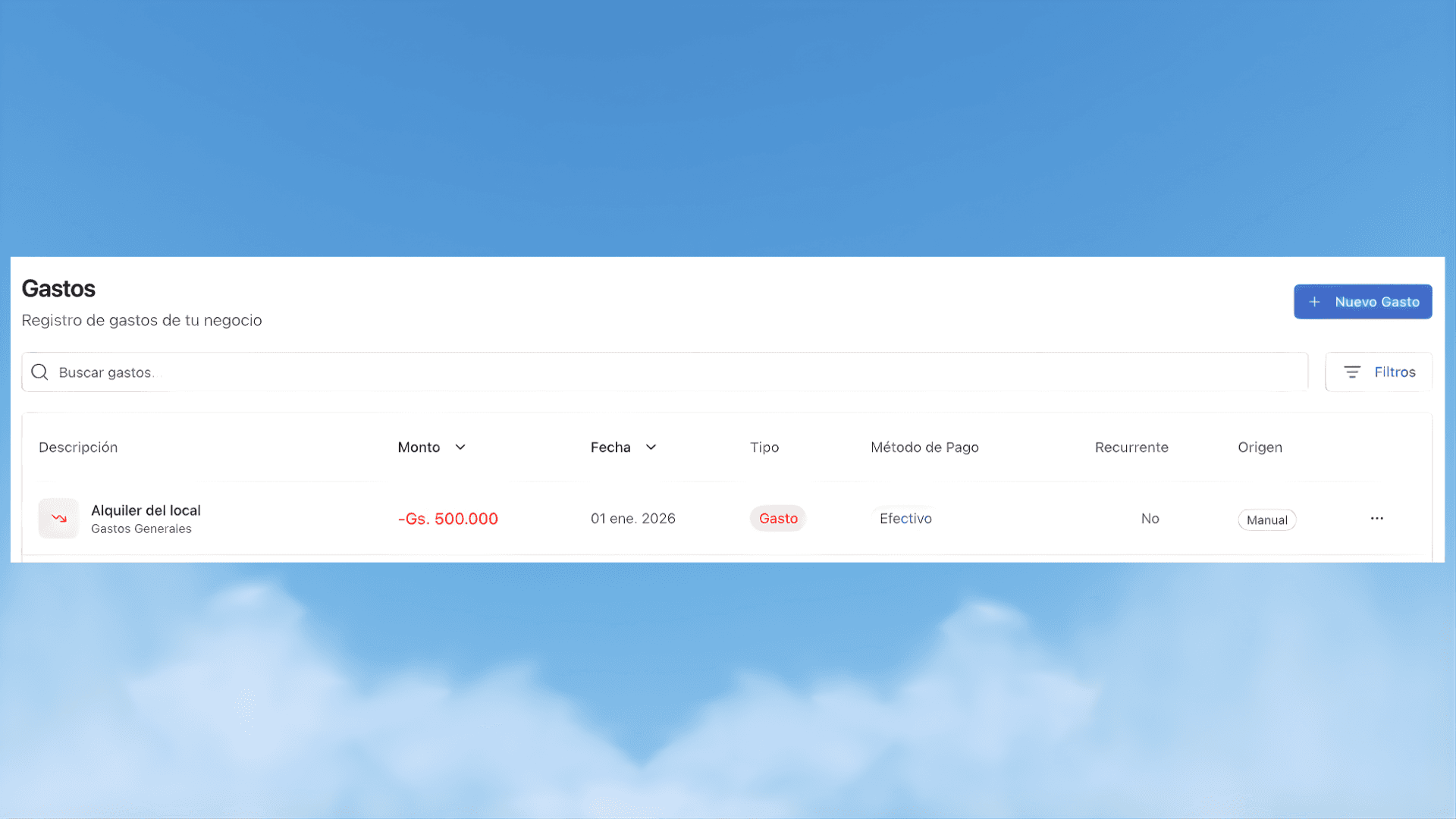
Once saved, the expense will be recorded and will automatically appear in:
The expense list
Attention: costs and expenses are not recorded in the same place
To avoid confusion and keep your business numbers calculated correctly, it is important to distinguish between product costs and operating expenses.
Product costs: If the amount corresponds directly to the product you are going to sell (for example, purchase or manufacturing cost), that value is recorded in the Products module, within the cost of sale when creating or editing the product.
Operating expenses: If the amount is not directly associated with a specific product (rent, utilities, advertising, packaging, shipping, or other day-to-day expenses), it should be recorded in the Expenses module.